Digitise accounting for Swiss SMEs
Double-entry accounting, QR invoices, TWINT, bank import via camt.053, and analytics. All in one Swiss accounting software for SMEs.
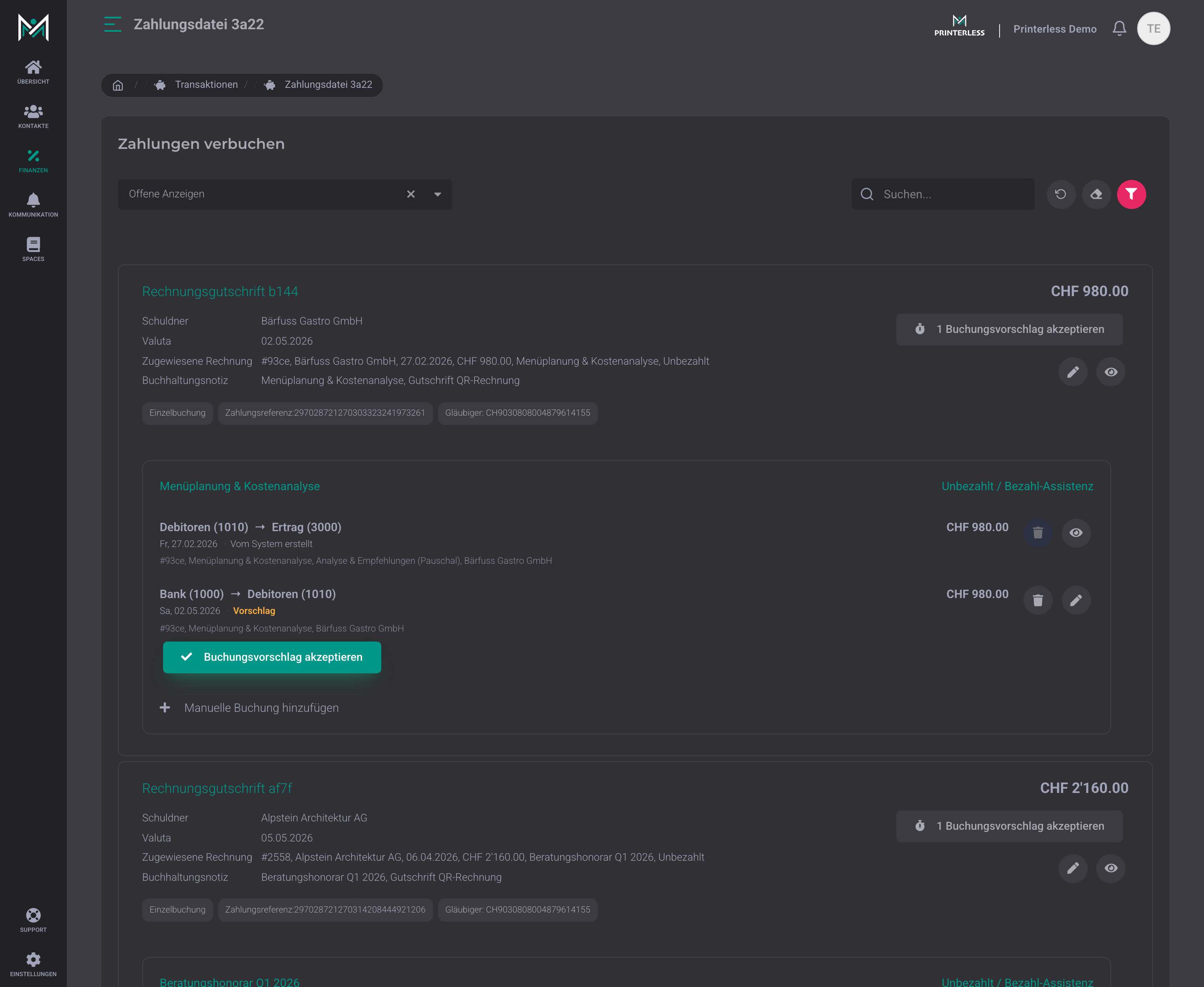
Import bank statements and reconcile automatically
camt.053, camt.054, credit card statements as PDF or simple text files. All common Swiss bank formats are recognised. Payments are automatically matched with open invoices, including multi-match (one payment across several invoices). After the import, you can see at a glance for each file how many invoices have been assigned and paid, and what is still open. For entries that cannot be clearly assigned to an invoice, AI suggests account assignments based on past entries. You confirm with one click. This saves you the monthly Excel reconciliation.
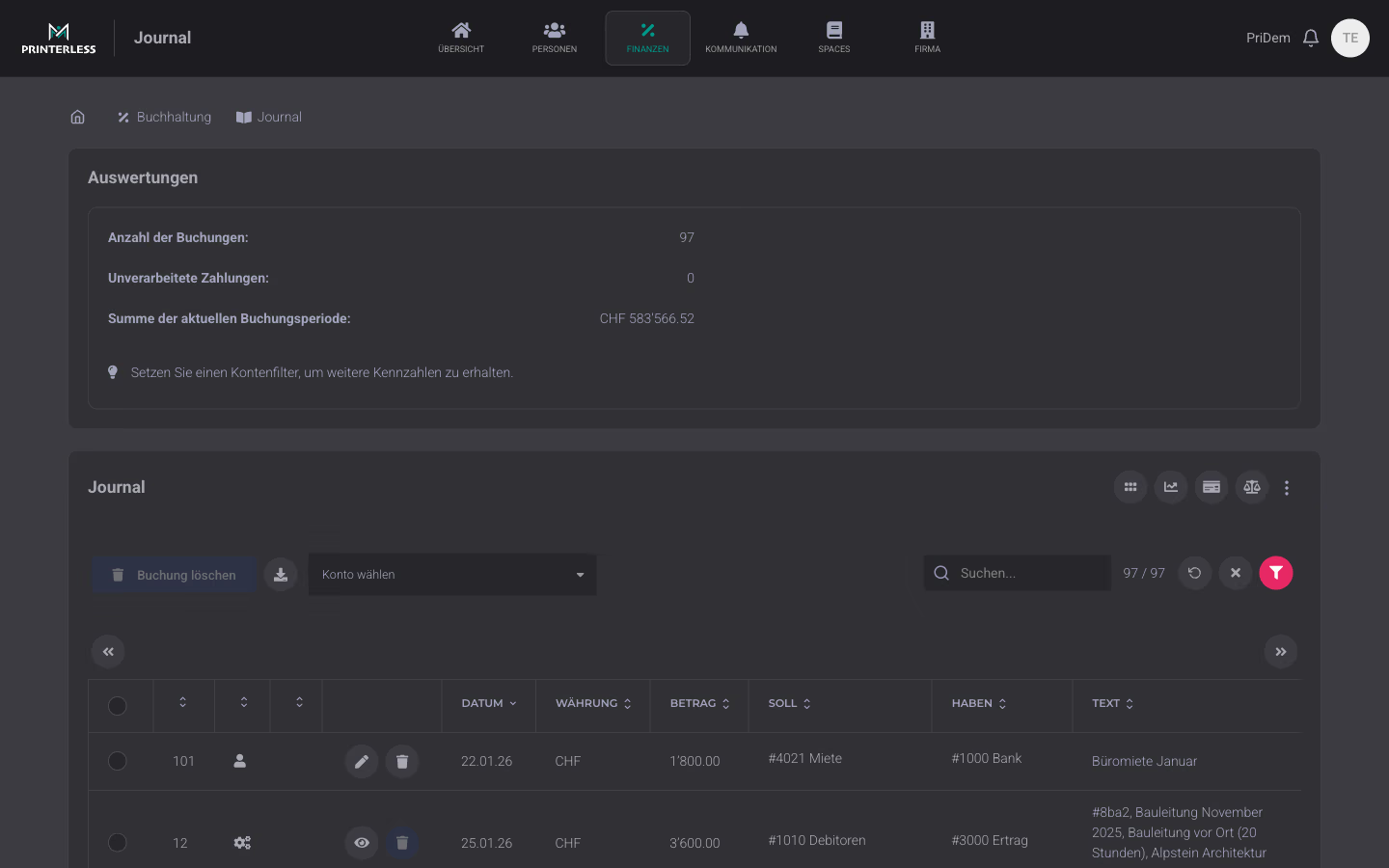
Double-entry accounting for Swiss SMEs
Chart of accounts based on the Swiss SME standard, journal with full-text search, balance sheet and income statement in real time, budget planning per account and period. Receipts are attached directly to the posting. Nothing sits in a folder. Start with a chart of accounts template for SMEs and sole proprietors, customisable to your industry. Your trustee gets PDF and Excel at the push of a button.
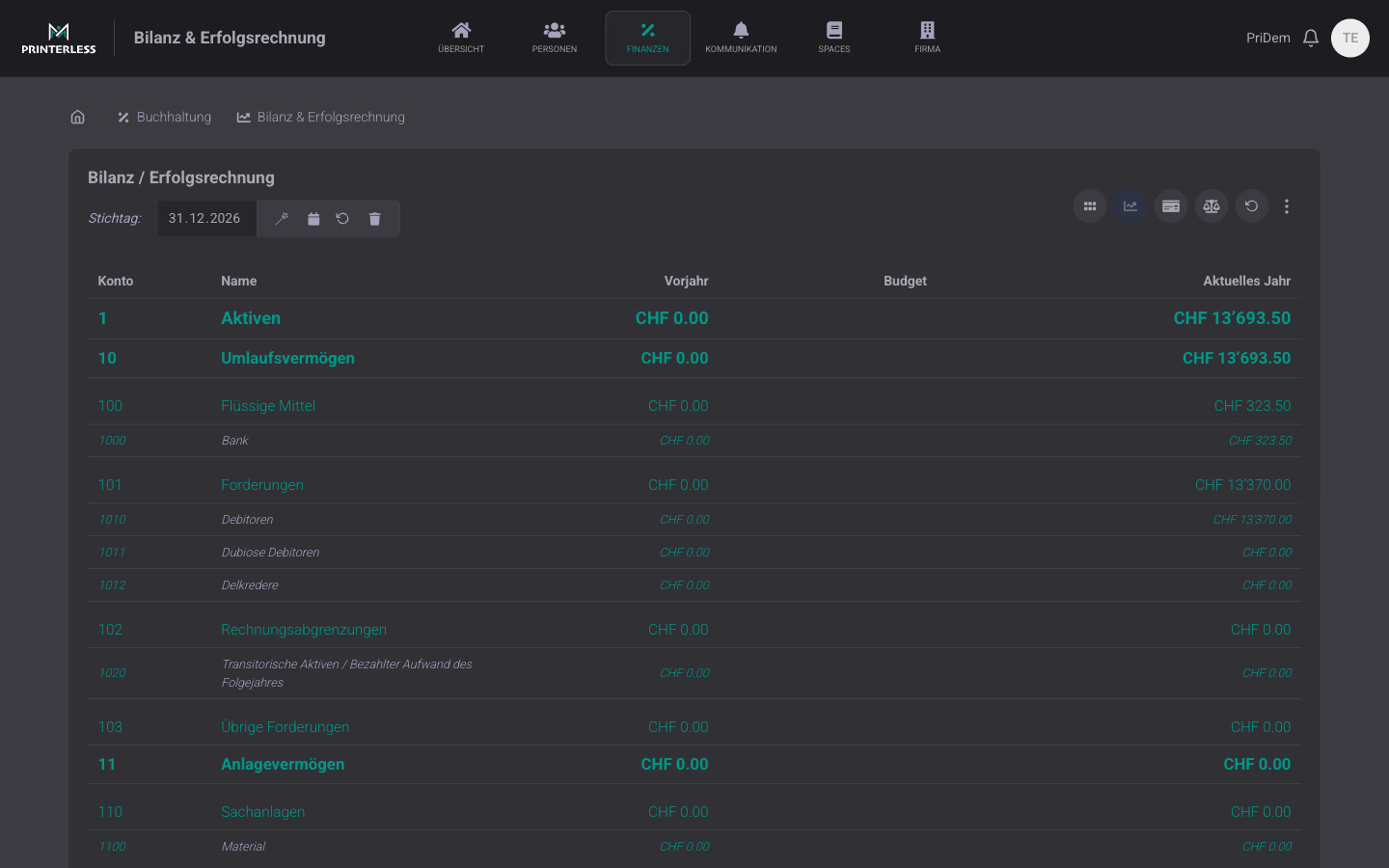
Balance sheet and income statement in real time
Balance sheet and income statement as of a reporting date, structured according to the Swiss SME chart of accounts. Assets with current and fixed assets, liabilities with debt and equity, income statement with income and expenses. Comparison to prior year and budget per account. Export as PDF or Excel for your fiduciary, auditor or the tax office, including account sheets and journal.
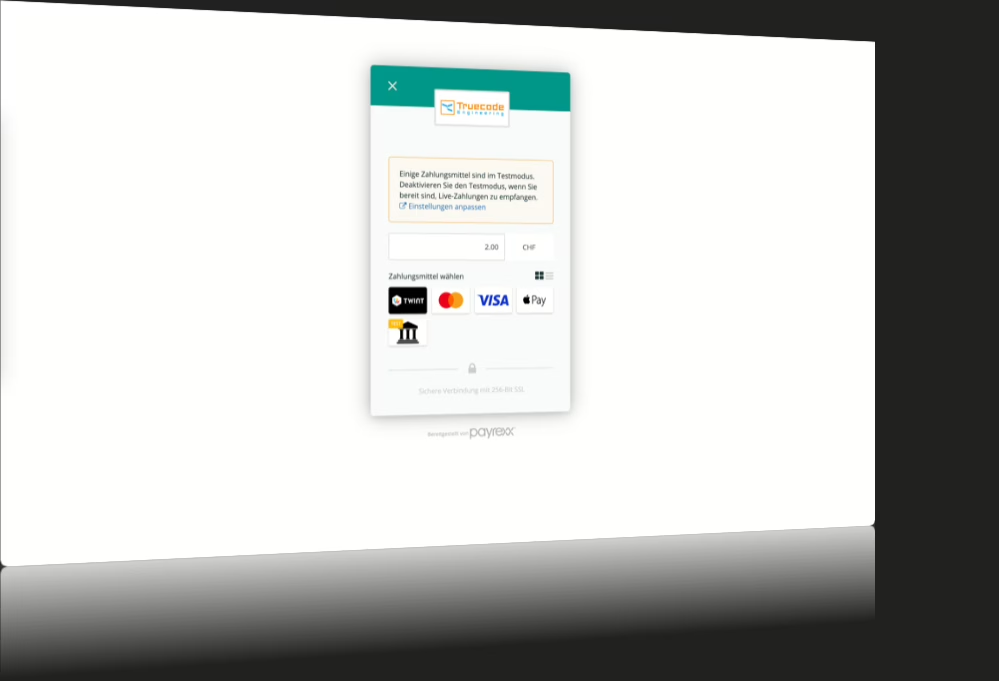
QR invoice, TWINT, and credit card, posted automatically
Customers scan the QR code, TWINT opens, payment done. Credit cards run via Payrexx, where we are an official integration partner. You match incoming payments to open invoices via camt.053/camt.054 import, and the payment automatically closes the invoice. No manual Excel matching, no later status updates, no hassle with customers who think they've already paid.
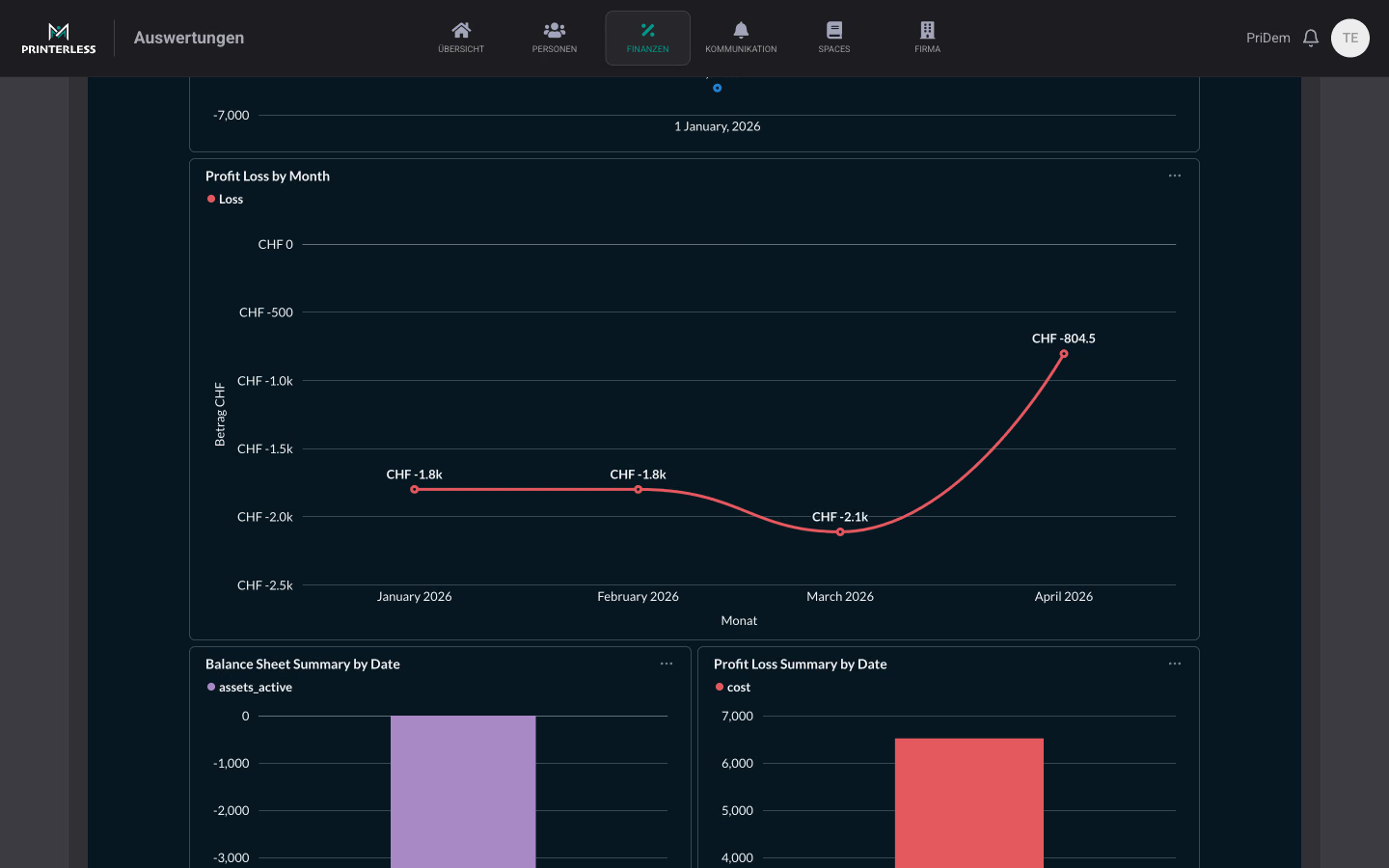
Visual financial analysis with profit-loss trend
Visual analysis of income and expenses over time. Monthly profit-loss curve shows where costs are getting out of hand, balance sheet summary visualises assets and cost development. The dashboard updates live with every new posting, instead of manual pivot tables and Excel exports.
Additional accounting features
Details that make day-to-day work easier for accounting and the audit office.
Sortable & importable chart of accounts
Hierarchical chart of accounts with drag-and-drop sorting: move accounts, renumber them, create new sub-accounts. Import an existing chart of accounts from Excel or CSV, or start from our Swiss SME template (if you are starting from scratch). On request, we personally carry over the previous year's figures.
Automatic depreciation, straight-line or declining-balance
Depreciation on fixed assets (buildings, vehicles, machinery) runs automatically: straight-line over a fixed useful life or declining balance with a rate that decreases each year. Once configured per asset, the platform creates the entries in the journal on the reporting date.
Audit flag with comment function
Each posting can be marked with a flag for the audit, incl. a comment field for notes (for example questions for the auditor or announced corrections). The auditor works through the flag list systematically instead of scrolling through the entire journal.
File upload per posting
For each posting you can attach as many supporting documents as you like as PDF, JPG or PNG: supplier invoices, receipts, contract documents. The files are stored directly on the posting; the auditor sees them with one click, without searching folders.
VAT return
Accounting records VAT on accounts and receipts and automatically creates the return for the tax office, using either the effective or net tax rate method.
Repeat previous-year entries
Rent, insurance or software subscriptions come back every year. Mark these entries as recurring, and when the new period starts, you can carry them all over with one click, with the same amount, account and text, and a new document number.
More finance modules
Invoices, expenses, payroll, and online payments are separate modules with their own pages, directly connected to accounting.