Create invoices with QR code and automatic reminders
Single invoices, batch invoices and subscription invoices with Swiss QR code, automatic reminders and payment matching via camt.053. Send by email or A Mail.
Single, batch, subscription in one flow
Three invoice types cover everyday SME needs. Single invoices for one-off jobs. Batch invoices create a separate invoice per selected customer with one click, for example the monthly subscriptions for 50 subscribers. Subscription invoices are generated automatically every week, month, or year.
Each invoice gets a Swiss QR code, the payment terms control the due date, and if it is overdue the platform sends the reminder automatically. Incoming payments via camt.053 from your e-banking are matched automatically using the QR reference.
All invoice types for your everyday business
Every invoice gets a Swiss QR code, reminders run automatically, and every payment is posted directly in accounting.
Batch invoices
Batch invoice: create one invoice per selected customer from a template with a single click. 50 subscriptions per quarter in just a few seconds.
Subscription invoices automatically
Subscription invoice with an interval (weekly, every 14 days, monthly, yearly). The platform automatically generates an invoice from the template each period.
Single invoices with Swiss QR
Single invoice with multiple line items, VAT per line, discounts and allowance. Swiss QR code is generated automatically.
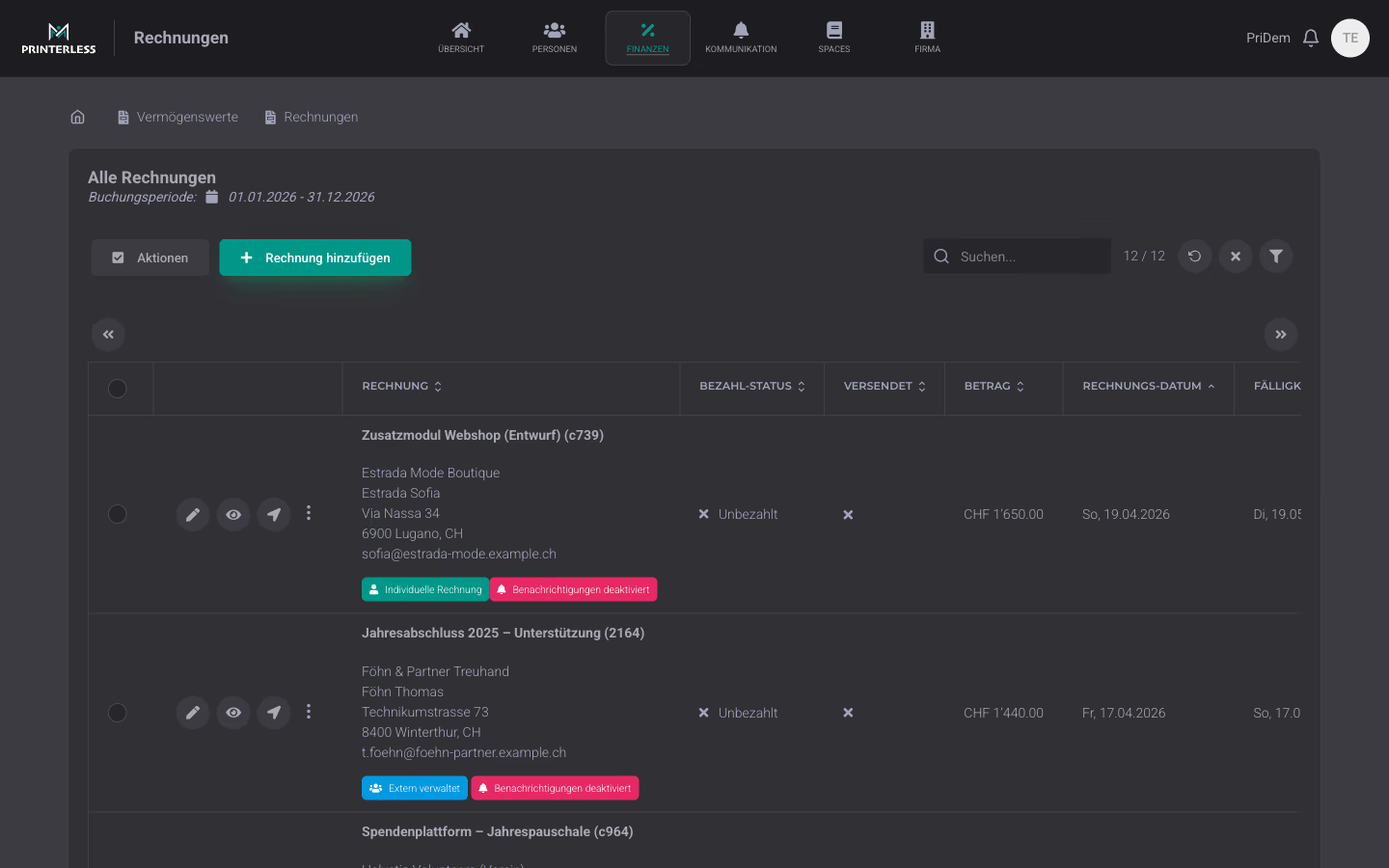
Open customer invoices at a glance
All customer invoices on one page: filter by payment status (open, paid, reminder), customer, amount, or due date. Each row shows the current status and whether the invoice has already been sent to the customer by email or A Mail. This way, accounting can immediately see which invoice is still outstanding.
Swiss QR invoice generated automatically
Every invoice automatically gets a Swiss QR code with IBAN, amount, reference number and recipient details. Compatible with all Swiss e-banking apps and Post terminals. QR-IBAN with ESR reference is also supported.
Automatic reminders
Automatic reminder workflow can be enabled per invoice. After the payment deadline, the platform sends the first reminder, then the second, with custom reminder text and reminder subject. Pauses as soon as a payment is received.
Payment status and camt.053 matching
Payment status per invoice: open, paid, partially paid or overpaid. Incoming payments via camt.053 from your e-banking are automatically matched based on the QR reference. Every status change is logged with timestamp and trigger.
Send by email or A Mail
Send by email with PDF attachment or by A Mail via the integrated postal service. One click decides per invoice or per recipient what reaches the customer faster.
VAT per line item
VAT can be selected per line item, gross or net mode, reduced rate, 0 percent or exempt. The invoice shows the correct VAT breakdown for the tax authorities.
Templates for recurring invoices
Invoice templates for recurring line items, payment terms and texts. Set up once, select as a base per customer, and only adjust what differs.
Frequently Asked Questions
- How do subscription invoices work?
- Yes. A subscription invoice has a start date, end date (optional) and interval: weekly, every 14 days, monthly or yearly. For each period, a child invoice is generated that you can still edit before sending. If the address changes, the new address applies from the next period; old invoices remain unchanged.
- Are reminders sent automatically?
- You configure reminder levels once (number of days, fee, text). After that, reminders run automatically. Every day the system checks open invoices and sends them if needed. You can manually pause any sending per invoice.
- How many line items can an invoice have?
- No line-item limit per invoice. You can add as many items as you want per invoice, with different VAT rates, allowances, or minimum amounts. For small amounts (e.g. donations or open pricing), there’s an allowance mode where the recipient chooses the amount themselves.
- Can I record credit notes or refunds?
- Yes. You create credit notes as an invoice with a negative amount. Overpayments are also detected when more is received than requested, and flagged for manual clarification.
Invoices that write themselves and get paid
Single, subscription and batch invoices with Swiss QR, automatic reminders and camt.053 matching. Included in every plan.
Try for free